
Download Shedko Badges – Thematic Badge Customization, Desktop Organization, Windows File Browser Integration
Overview
Shedko Badges is a desktop enhancement tool designed to improve file organization through visual cues. The application enables users to assign thematic badges to folders, offering a more intuitive way to identify the purpose or status of each directory. By integrating with the Windows file browser, Shedko Badges enhances the user experience without requiring complex setup or technical knowledge. Its primary function is to reduce desktop clutter and improve workflow efficiency by making folder contents instantly recognizable at a glance.
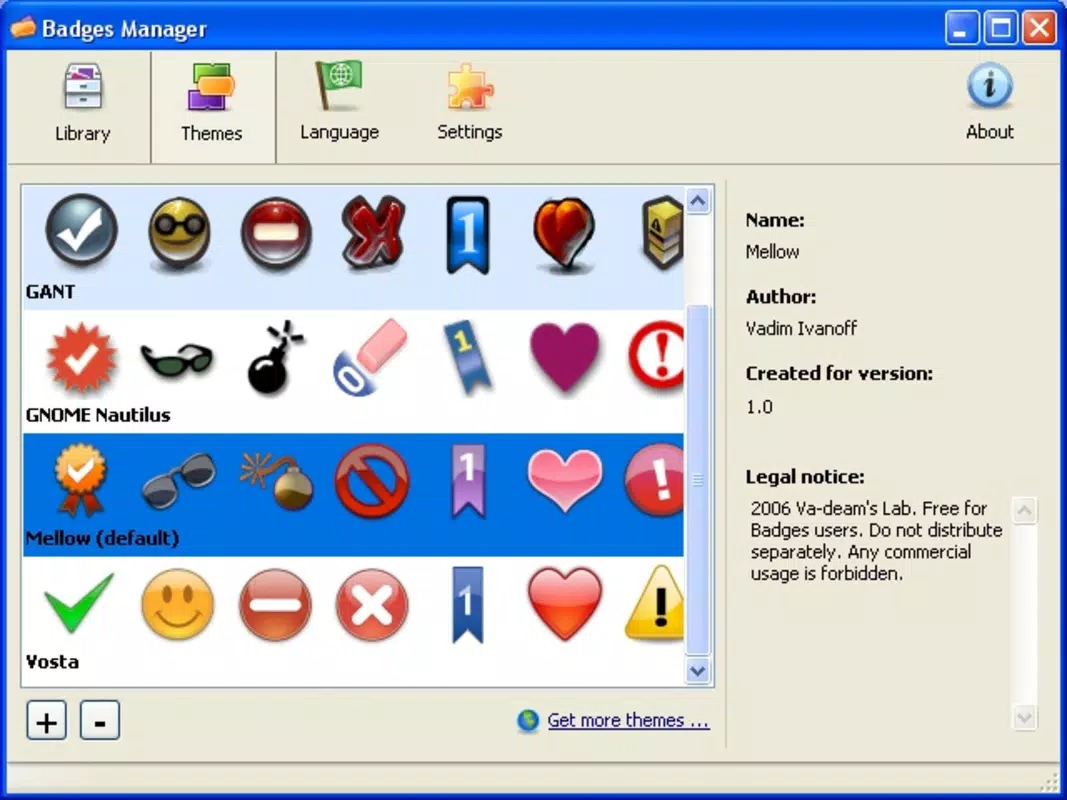
The tool is particularly useful for individuals managing large volumes of files, such as students, freelancers, and office professionals. These users often benefit from visual cues that distinguish between personal, urgent, or sensitive folders. Shedko Badges supports multiple themes, including Windows Vista, CrystalXP, and Mac, allowing users to customize their workspace according to personal preference or system aesthetic. This level of personalization contributes to a more engaging and productive computing environment.
Although the developer did not provide additional background information, the application has been available since 2011, indicating a long-standing presence in the desktop utility space. Despite its age, the tool remains relevant due to its simplicity and effective approach to file organization. It fills a niche in the software ecosystem by offering a lightweight, non-intrusive solution to visual file management. The absence of resource-heavy processes ensures it runs smoothly on older systems, making it a reliable option for users seeking a straightforward enhancement to their desktop experience.
Key Features & Functionality
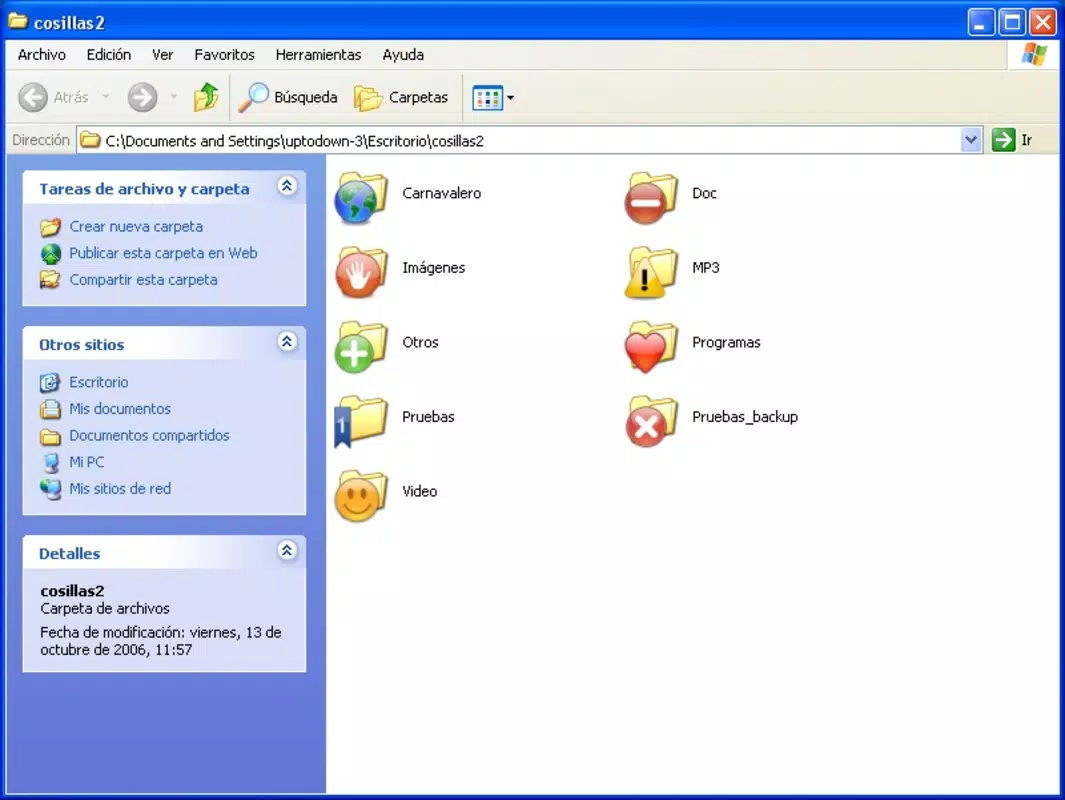
- Thematic Badge Customization: Users can apply a variety of pre-designed badges to folders based on themes such as Windows Vista, CrystalXP, and Mac. This allows for consistent visual alignment with the system’s overall look and feel.
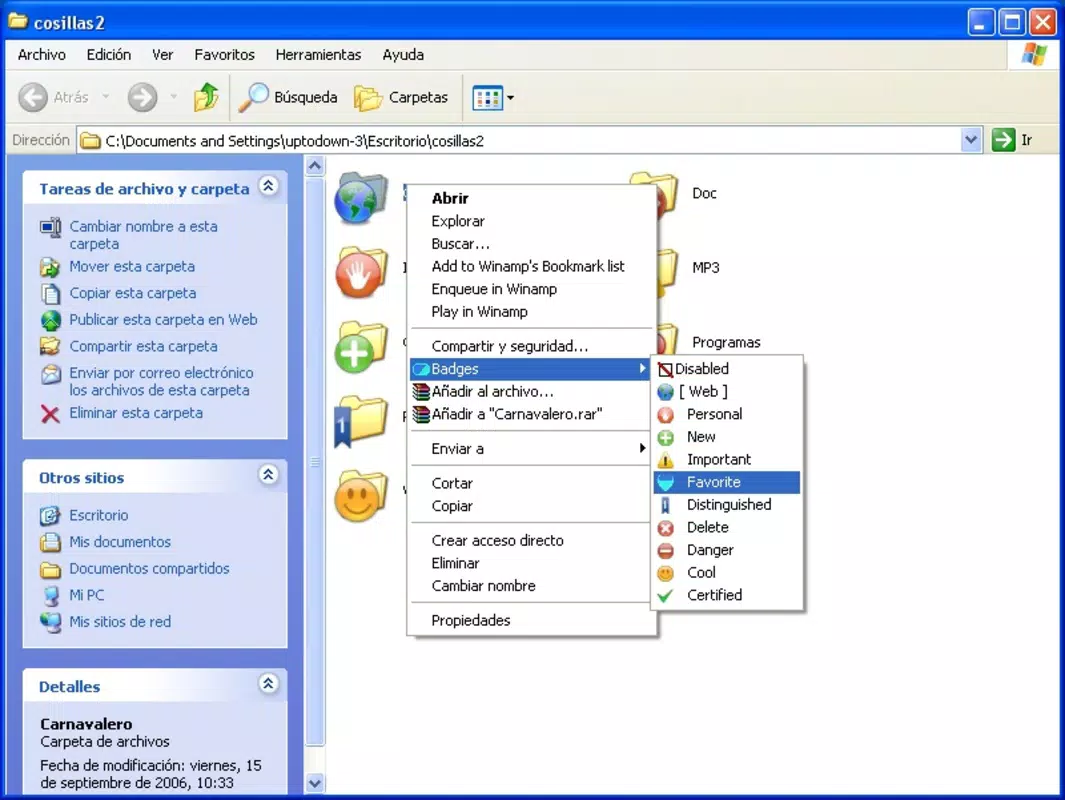
- User-Friendly Integration: The tool integrates directly into the Windows file browser context menu. Right-clicking a folder reveals a dedicated option to select and apply a badge, enabling quick and seamless customization.
- Quick Identification Icons: Badges serve as visual indicators for folder status—such as important, personal, to be deleted, or potentially dangerous—helping users prioritize tasks and avoid accidental file manipulation.
- Original Desktop Organization Approach: Instead of relying solely on folder icons, Shedko Badges introduces a layered visual system that enhances clarity and reduces cognitive load when navigating a cluttered desktop.
For example, a student might use a red “Important” badge for exam-related folders and a yellow “To Do” badge for upcoming assignments. A freelance designer could label client folders with a custom badge to indicate project phase. These practical applications demonstrate how the tool supports real-world productivity needs. The ability to apply badges without altering file structure preserves data integrity while improving accessibility. This makes Shedko Badges a valuable utility for anyone seeking a simple yet effective way to organize digital workspaces.
Interface, UX & Performance
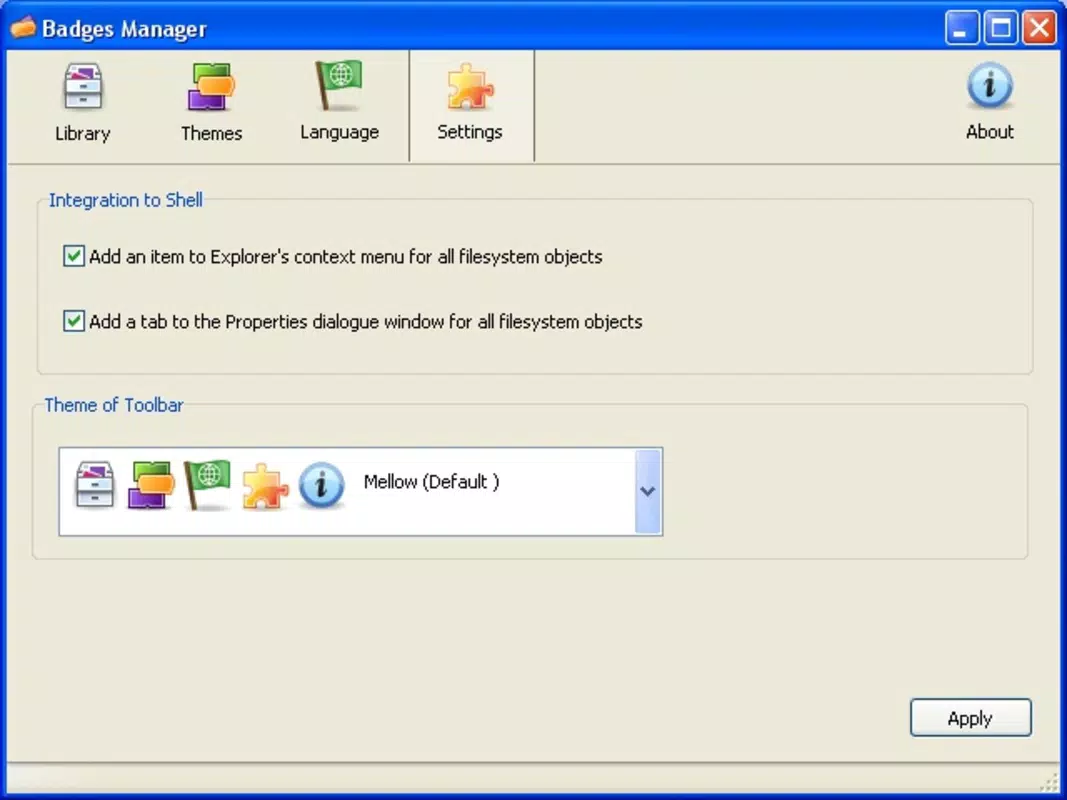
Shedko Badges features a minimalistic interface that operates entirely through the Windows context menu. There is no standalone dashboard or settings window, which simplifies the user experience and reduces visual distractions. The design prioritizes functionality over aesthetics, aligning with its utility-focused purpose. Navigation is intuitive: users access the app’s functions by right-clicking any folder, selecting the badge option, and choosing from the available themes.
Although the developer did not list formal performance metrics, the tool’s lightweight nature suggests low CPU and memory usage. It is designed to operate in the background without interfering with other processes. Responsiveness is consistent across different device categories, including older machines and systems with limited resources. Stability appears reliable, as the application has remained in use for over a decade without widespread reports of crashes or conflicts.
Users can expect smooth integration with standard file operations. Badges remain visible across different views (icon, list, details) and persist after system restarts. The lack of a visible interface also means fewer opportunities for user error or misconfiguration. Overall, the UX is streamlined for efficiency, making it accessible even to users with limited technical expertise. The tool’s simplicity is its strength, ensuring consistent performance across a wide range of Windows environments.
Platform Compatibility & Technical Requirements
Shedko Badges is designed for Windows operating systems. The specific version and file size were not provided. The developer did not specify minimum OS requirements or compatibility details beyond the platform. As such, users should verify system compatibility before installation.
Given the release date of 2011, the application likely supports older versions of Windows, including Windows 7 and earlier. However, compatibility with newer versions such as Windows 10 or 11 is not confirmed. Users are advised to test the app in a controlled environment if running a modern system. The absence of official specifications means that installation and operation should be approached with caution on updated platforms.
File size information was not disclosed. However, based on its lightweight functionality and lack of resource-intensive components, the app is expected to occupy minimal disk space. This makes it suitable for devices with limited storage capacity. Users seeking a secure, low-impact utility for desktop organization may find Shedko Badges a practical choice, provided it functions correctly on their system.
Pros and Cons
- Lightweight and fast, with minimal system impact
- Simple, intuitive integration with Windows file browser
- Supports multiple visual themes for personalization
- Enhances folder identification without altering file structure
- Free to use with no visible ads or in-app purchases
- Outdated interface with no modern design updates
- No official support for newer Windows versions confirmed
- Missing detailed documentation or user guide
- Compatibility with current systems not verified
- Limited customization options beyond pre-set themes
FAQ
Is Shedko Badges free to download and use?
Yes, Shedko Badges is available at no cost. There are no in-app purchases or subscription fees associated with the application.
Does Shedko Badges work on Windows 10 and Windows 11?
The developer did not confirm compatibility with Windows 10 or 11. While it may function on these systems, users should test it in a safe environment before relying on it for critical tasks.
Can I customize the badges with my own images?
Based on available information, the app only supports pre-defined themes such as Windows Vista, CrystalXP, and Mac. Custom image uploads were not listed as a feature.
Is Shedko Badges safe to install?
As a long-standing utility with no reported malware or security issues, Shedko Badges is considered safe. However, users should download it from trusted sources to avoid tampered versions.
How do I remove a badge from a folder?
Right-click the folder, access the Shedko Badges menu, and select the option to remove the badge. This action restores the folder to its default state without affecting the file contents.
Final Thoughts
Shedko Badges offers a refreshingly simple solution to a common digital challenge: desktop clutter. Its ability to enhance folder visibility through thematic badges makes it a practical tool for users who value visual organization. While the interface is outdated and compatibility with modern systems is uncertain, the app remains a reliable option for those using older Windows environments.
Its strength lies in its minimalism—no complex setup, no resource drain, and no distractions. For individuals seeking a secure, lightweight utility to improve workflow clarity, Shedko Badges delivers consistent value. The tool’s long history speaks to its stability and enduring relevance.
Download Shedko Badges now


